
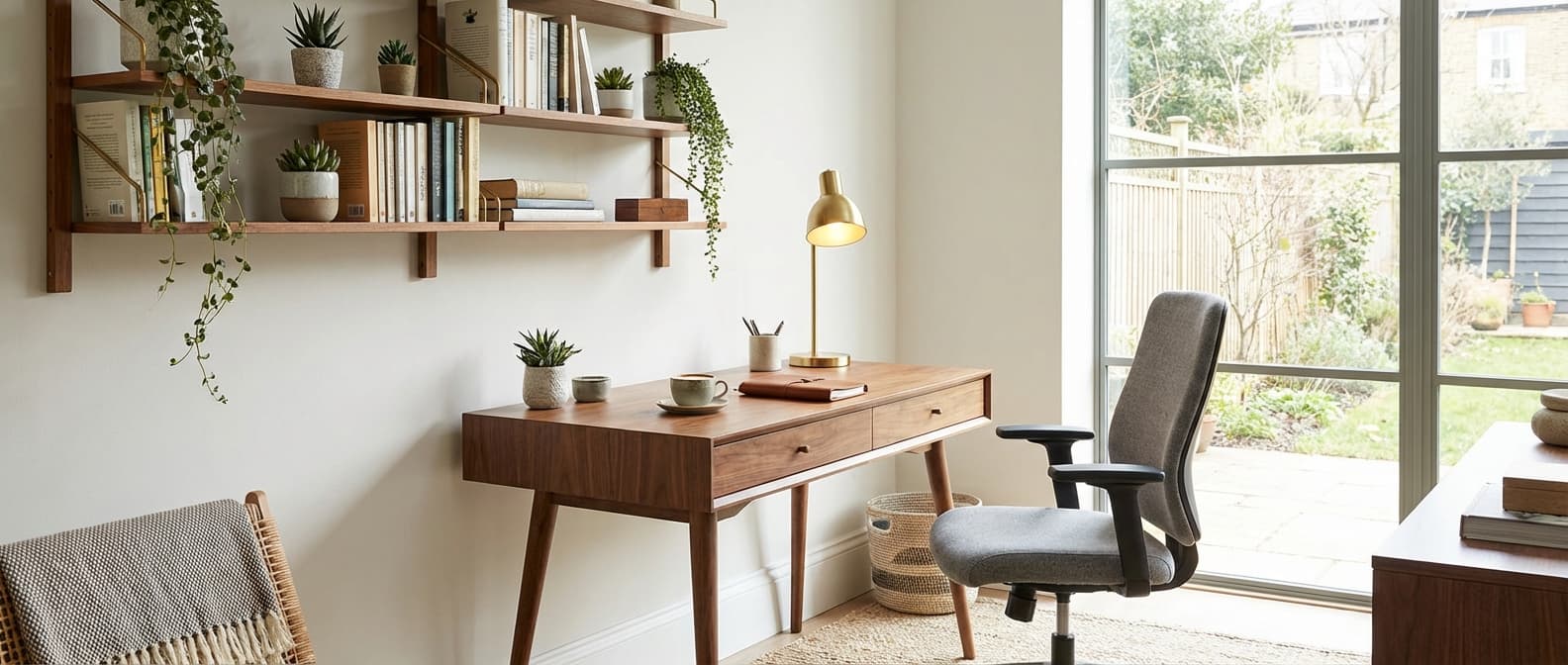
1. What is the best ergonomic office chair under £500?
Several excellent ergonomic chairs are available under £500 in the UK market. Look for chairs with adjustable lumbar support, seat depth adjustment, multi-position armrests, and a synchronised tilt mechanism. The key specifications are: seat height range of 40-52cm, adjustable lumbar support (not just a fixed curve), seat depth slider (at least 5cm adjustment), and 3D or 4D armrests. At the £300-£500 price point, you can expect mesh backs for breathability, high-density moulded foam seats, and 5-8 year warranties. Avoid chairs that only adjust for height — without lumbar, armrest, and seat depth adjustment, they are not truly ergonomic. Test in person if possible, or buy from a retailer with a good returns policy.
2. How big should my desk be for working from home?
For a single monitor and laptop, a minimum desk size of 120cm x 60cm provides adequate workspace. For dual monitors, upgrade to 140-160cm x 70-80cm. If you use a full-size keyboard, mouse, and notepad alongside your monitor(s), you need at least 70cm depth. Desk height should be 68-76cm for standard seated work, or adjustable (60-125cm) for a sit-stand desk. Corner desks (typically 140cm x 140cm) maximise workspace in corners but require more room. L-shaped configurations suit those who need separate zones for computer work and writing or drawing. Allow at least 80cm behind the desk for chair movement.
3. Electric or manual sit-stand desk — which should I choose?
Electric sit-stand desks adjust at the press of a button, transitioning between sitting and standing height in 10-20 seconds. They cost £500-£1,500 and are far more convenient for frequent transitions throughout the day. Manual crank desks cost £250-£500 and take 30-60 seconds to adjust — the effort involved means many users adjust less frequently, reducing the health benefits. Pneumatic (gas-lift) desks fall between the two in price and convenience. For daily use with multiple transitions, electric is overwhelmingly the better choice. Look for models with memory height presets (at least 3 positions), a weight capacity that accommodates your equipment (typically 70-120kg), and anti-collision sensors to prevent damage.
4. How do I reduce back pain from desk work?
Start with a properly adjusted chair: feet flat on the floor, knees at 90 degrees, lumbar support positioned at the curve of your lower back, armrests supporting forearms without raising shoulders. Position your monitor at arm's length with the top of the screen at or slightly below eye level. Take micro-breaks every 30 minutes — stand, stretch, and move for 1-2 minutes. A sit-stand desk allows position changes throughout the day. Strengthen your core and back muscles through exercise. If pain persists, consider a workstation assessment from an ergonomics specialist, many of whom offer remote assessments via video call for £100-£200.
5. What is the best desk material for a home office?
Solid wood desks (oak, walnut, beech) are the most attractive option for home offices, bringing warmth and character to a domestic setting. They are durable and can be refinished. Expect to pay £500-£2,000. Bamboo is a sustainable, hard-wearing alternative at a similar price to budget wood. Laminate or melamine-faced surfaces are the most practical and affordable option — they resist scratches, stains, and heat, and are easy to clean. Look for desks with ABS or PVC edge banding for durability. Glass desks look contemporary but show fingerprints and dust. For sit-stand desks, most use laminate or bamboo surfaces due to their weight-to-strength ratio.
6. Do I need a monitor arm?
A monitor arm is one of the most cost-effective ergonomic improvements you can make. It positions your screen at the correct height and distance, frees up desk space (equivalent to gaining 20-30cm of depth), and allows quick repositioning for different tasks or to share your screen. Single monitor arms cost £80-£200 for quality models; dual arms cost £120-£350. They clamp to the desk edge or fit through a desk grommet. Most support monitors up to 32 inches and 8-10kg. If your monitor sits on its standard stand and you cannot adjust it to eye level without stacking books underneath, you need a monitor arm.
7. How do I set up a home office in a bedroom?
Separate the work zone from the sleep zone as distinctly as possible. Position the desk facing a wall rather than the bed to create psychological distance. Use a room divider, bookshelf, or curtain to physically screen the workspace from the sleeping area. Choose furniture that looks domestic rather than corporate — a wooden desk and upholstered chair are less intrusive than office-grey furniture. Ensure adequate task lighting at the desk so you do not need to over-light the room. If possible, use a fold-down or compact desk that can be closed at the end of the working day. Keep work materials in closed storage to maintain the bedroom's restful quality in the evenings.
8. What lighting do I need for a home office?
Good office lighting combines natural light (position your desk near a window, but perpendicular to it to avoid glare on screens) with task lighting. A desk lamp with adjustable colour temperature (4000K-5000K for focus during the day, 3000K in the evening) and brightness reduces eye strain. Ensure ambient room lighting prevents high contrast between the bright screen and a dark room — this contrast causes eye fatigue. For video calls, front-facing soft light provides even illumination; a ring light or LED panel positioned behind your monitor works well. Avoid overhead downlights that create glare on screens or cast shadows on your desk.
9. Are standing desk converters a good alternative to full sit-stand desks?
Standing desk converters sit on top of your existing desk and raise your keyboard and monitor to standing height. They cost £100-£400, making them significantly cheaper than full electric sit-stand desks. They are a good option if you already have a desk you like, cannot justify the cost of a full sit-stand desk, or are renting and do not want to invest in fixed furniture. The downsides are limited desk space when raised, added weight on your existing desk, and a less elegant appearance. For regular daily use over several years, a full sit-stand desk provides a better experience, but a quality converter is a perfectly adequate intermediate solution.
10. How do I manage cables in a home office?
Cable management improves both aesthetics and safety. Start with a cable tray under the desk — a simple mesh or plastic tray screws to the underside and holds power strips and excess cable length. Use cable clips or Velcro ties to bundle cables running along the desk legs. Wireless peripherals (keyboard, mouse, headset) eliminate several cables entirely. A desk grommet provides a clean pass-through for cables from the desk surface to the cable tray below. For sit-stand desks, use a cable chain or spiral wrap that expands and contracts with the desk height. Keep power strips elevated off the floor to avoid tripping hazards. Label cables at both ends so you can identify them without tracing.
This article was created with AI assistance and reviewed by the HouseJester editorial team for accuracy and relevance.